
 English




Richiesta Informazioni
I servizi realizzati da Digithera sono stati ingegnerizzati per semplificare le tue attività. Tecnologia fruibile As a Service, oppure un semplice Tool installabile in pochi click guidati, con supporto prestato da team specialistici.
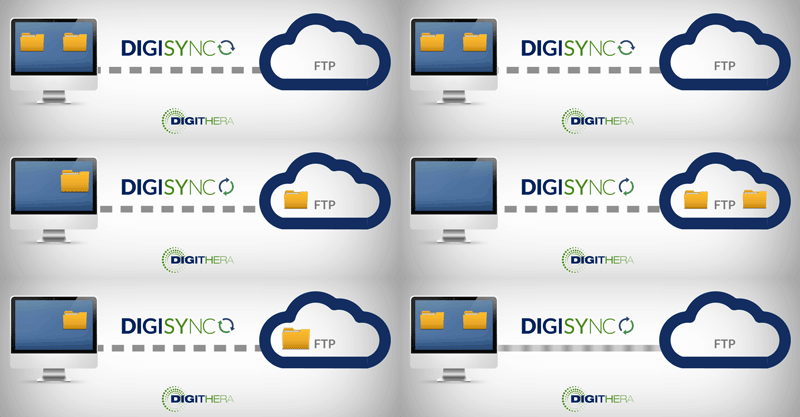
DigiSync è un software innovativo che rende ancora più facile e trasparente l’integrazione tra il proprio gestionale e Digithera. Si installa sul proprio computer in pochi minuti.
E’ un sistema semplice, intuitivo e sicuro per chi vuole gestire Fatture Attive e Passive salvate in cartelle locali sul PC.
In pochi passaggi il computer si collega direttamente con il Server FTPS di Digithera, attraverso un canale SSL. Le cartelle vengono sincronizzate con quelle di un Server FTPS, con la frequenza desiderata e impostata direttamente dal cliente.
E’ un servizio pensato anche per Professionisti e per Intermediari che devono offrire il servizio di fatturazione elettronica ai propri clienti e che necessitano di una soluzione integrata automatica per tutte le P.IVA gestite
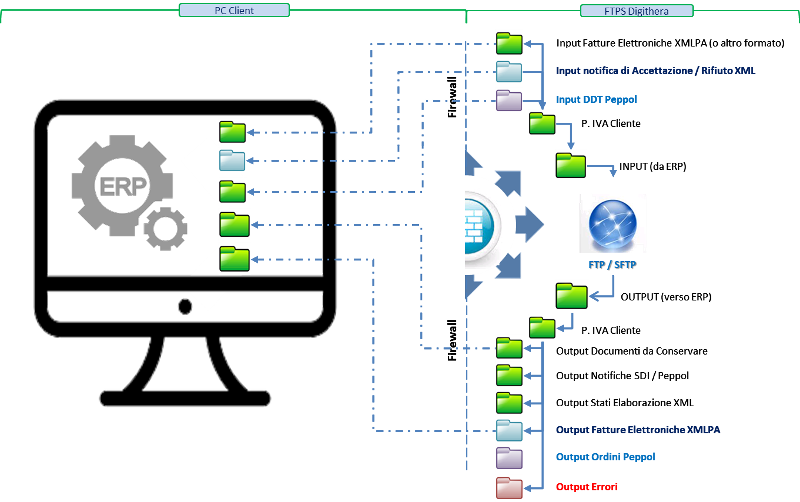
Con DigiSync è possibile come minimo:
- Indicare la cartella sul PC da cui prelevare i file delle fatture attive
- Indicare la cartella sul PC su cui depositare le notifiche e le fatture passive
- Impostare la frequenza di sincronizzazione
DigiSync è un software proprietario di Digithera che si installa in 5 minuti su una macchina con sistema operativo MS Windows solamente se si è in possesso di credenziali personali di autenticazione che vengono rilasciate ai clienti di Digithera che ne faranno utilizzo.
Struttura dei Costi di DigiSync
DigiSync è un software con una licenza di uso perpetua per cui c'è un costo una-tantum iniziale.
La licenza di DigiSync si applica sia ad una singola Partita IVA o ad un Intermediario che abbiano comunque implemento il Connettore FTP, necessario per l'implementazione.
Contattaci per approfondire con uno specialista Digithera la migliore soluzione